
What is Implaya App? Safety, AI Features, and CapCut Comparison

Direct Answer: What is the Implaya App?
The Implaya app is an emerging mobile application marketed as an AI-powered photo and video editing tool. However, unlike industry-standard applications like CapCut, Implaya has a very limited footprint on official digital storefronts such as the Google Play Store and Apple App Store. Instead, it is predominantly distributed as an “APK” file through third-party websites (like Apktodo, Modfyp, or Bangapk). This distribution method presents serious security, malware, and privacy risks. If you are looking for a secure editing experience, experts strongly recommend utilizing verified platforms like CapCut, developed by ByteDance.
Key Takeaways
- Availability: Implaya is mostly found on unofficial, third-party APK sites, raising safety red flags.
- Security Concerns: Downloading modified or unlocked “Pro” APKs can expose your device to hidden spyware, adware, and data harvesting.
- Core Features: Implaya offers basic AI filters and photo enhancements, but lacks the professional timeline editing suite, keyframe animations, and template ecosystem of CapCut.
- Safe Best Practice: Stick to verified video editors downloaded directly from official app stores, and always audit app permissions before installing.
Why Are Users Searching for Implaya APK & “Tech Implaya”?
Many mobile content creators search for terms like implaya apk, implaya website, or tech implaya in hopes of finding a lightweight alternative to heavyweight video editors. Some third-party sites and domains like implaya.com or techimplaya.com advertise the application as a “Pro Unlocked” companion utility or template injector for CapCut. However, these websites are frequently monetized by embedding unwanted software, pop-up ads, or even malicious packages within the application bundle. Choosing a reputable alternative ensures your phone and projects remain safe.
What is the Implaya CapCut Pro Hook?
On several unofficial download portals, bad actors claim that downloading “Implaya CapCut Pro” will bypass local server-side registration checks or unlock premium filters for free. This is a scam. Authentic CapCut Pro features require accounts to communicate directly with ByteDance’s authorization servers. Sideloading a self-signed APK package labeled “Implaya CapCut” does not unlock features, but instead grants the installed app high-level system permissions, leaving your device vulnerable to background credential logging.
CapCut vs Implaya App: Feature and Integrity Comparison
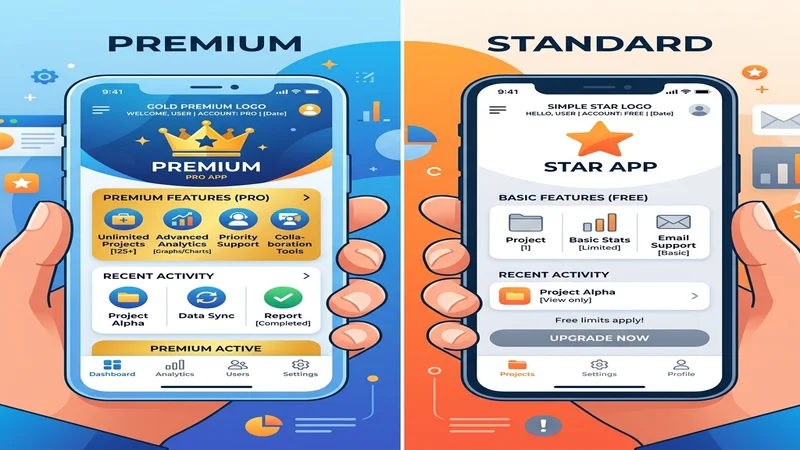
To help you decide which editor is right for your workflow, here is a detailed breakdown of the features, developer authority, and platform support of both tools:
| Feature / Metric | CapCut (Official) | Implaya App |
|---|---|---|
| Developer | ByteDance (Verified) | Unclear / Anonymous |
| Primary Platform | Android, iOS, PC (Windows/Mac), Web | Android (predominantly APK only) |
| AI Capabilities | Auto Captions, Neural Masking, Voice Cloning, Dreamina | Basic image brightness & contrast enhancers |
| Security Vetting | Google Play Protect & App Store verified | None (Self-signed APK packages) |
| Data Privacy | Clear transparent guidelines | No active/verified privacy policy website |
| Asset Library | Thousands of trending templates & royalty-free music | Extremely limited static filters |
Understanding Implaya App Safety Features
When analyzing the safety features of the Implaya app, there are critical areas that creators must watch out for. Unlike CapCut, which uses enterprise-level encryption and regular developer-guided security updates, unverified applications pose three main threats:
- Data Harvesting: Some third-party APK distributions contain background scripts designed to collect browser history, device IDs, and personal information.
- Lack of Sandboxing: Since these apps bypass the official Play Store screening, they can exploit system vulnerabilities to run unauthorized background processes.
- Stability Issues: Bypassing the native operating system layers often leads to app crashes, lost project files, and rendering errors.
For more detailed guidelines on what makes a video editing application legally and technically safe, refer to our guide on CapCut Pro APK Safety and Privacy Legal Guide. If you are running into installation errors with legacy editors, see our CapCut Old Versions Safe Download Portal.
Step-by-Step App Permission Audit Guide
To keep your smartphone secure while editing videos or photos, follow this checklist before installing any new tool:
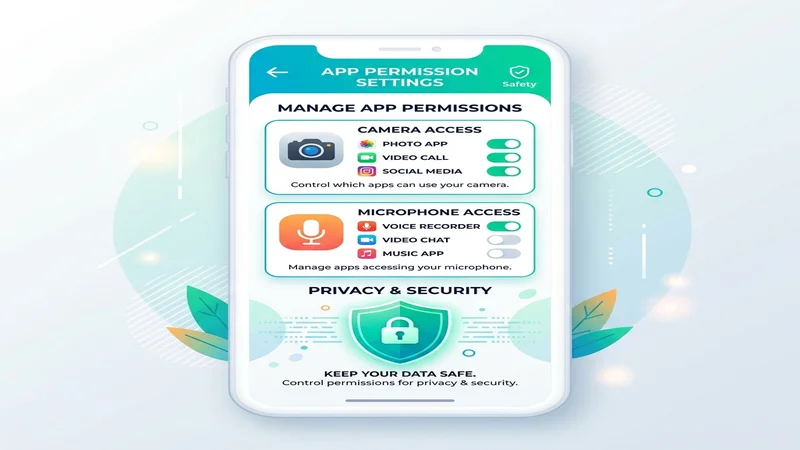
- Media & Storage Access: Necessary. Both CapCut and Implaya require access to your gallery to load and export media files.
- Camera & Microphone Access: Optional. Required if you are shooting video or recording voiceovers directly inside the app.
- Contacts & SMS Access: Extreme Red Flag. A photo or video editor has absolutely no legitimate reason to access your contact lists, read your messages, or make phone calls. If an app requests these permissions, deny them immediately and uninstall the application.
- Location Access: Unnecessary. Video editing is location-independent; do not share your real-time coordinates.
Legitimate Alternatives for Video Creators
If you need powerful editing tools that are 100% verified, there is no need to risk your phone’s security on unverified APK downloads. You can use these safe, high-quality alternatives:
- CapCut: The gold standard for social media video creation, offering robust AI tools. You can find detailed steps on getting started in our tutorial CapCut Features and How to Use Them.
- VN Video Editor: A highly optimized, watermark-free timeline editor available on both Google Play and Apple App Store.
- InShot: Excellent for quick social media crops and collage templates, fully vetted and regularly updated.
- CapCut PC: For larger, processor-heavy projects, downloading the official desktop version is much safer and faster than editing on older mobile devices. Learn more in our CapCut for PC Download guide.
Frequently Asked Questions
Is the Implaya app safe to download?
It is generally unsafe to download the Implaya app from third-party APK portals. These files can be modified by bad actors to bundle malware, adware, or data trackers. Stick to official app stores like the Apple App Store or Google Play Store to protect your data.
What is “Tech Implaya” or “implaya.com”?
These refer to unofficial domains and portals hosting APK downloads. They are not affiliated with ByteDance. Downloading files from these locations is risky because the packages are self-signed and bypass Play Protect checks.
Does CapCut collect more data than Implaya?
No. CapCut is owned by ByteDance and operates under transparent, globally monitored privacy policies. Implaya and similar niche APKs lack clear ownership and transparent privacy policies, making them a higher risk for unauthorized data collection.
How do I fix errors when installing photo/video editors?
Common installation errors are caused by corrupt files, insufficient storage, or system architecture mismatches. Always download the official, unmodded version from verified marketplaces to avoid installation blocks.
Conclusion
When asking what is implaya app safety features, the smartest path is caution. While niche editing tools and modified APKs can sound tempting, they often serve as bait for cybersecurity exploits. Sticking to verified applications like CapCut ensures that your device remains secure, your projects are safe from corruption, and you get access to the latest AI tools without compromising your privacy.
Quality Checklist for Content Creators
- Double-check that you have disabled auto-updates if you are using a legacy version.
- Never grant SMS or Phone permission to any video editing application.
- Always keep a backup of raw footage on an external cloud drive.
![CapCut AI Editing Guide: How to Use Voice Cloning, Neural Masking & Dreamina [2026]](https://capcutpro-apks.com/wp-content/uploads/2026/06/capcut-ai-features-guide-dreamina-voice-cloning-featured-768x403.jpg "CapCut AI Editing Guide: How to Use Voice Cloning, Neural Masking & Dreamina [2026] 4")
![How to Fix CapCut ‘Not Available in Your Country’ [iOS & Android Guide]](https://capcutpro-apks.com/wp-content/uploads/2026/06/country_restriction_featured-768x403.webp "How to Fix CapCut 'Not Available in Your Country' [iOS & Android Guide] 6")
![How to Fix CapCut ‘No Internet Connection’ Error [2026 Guide]](https://capcutpro-apks.com/wp-content/uploads/2026/06/network_error_featured-768x403.webp "How to Fix CapCut 'No Internet Connection' Error [2026 Guide] 7")
![CapCut Pro APK v9.8.0 & Old Versions: Safe Download & Rollback Guide [2026]](https://capcutpro-apks.com/wp-content/uploads/2026/06/old_versions_featured-768x403.webp "CapCut Pro APK v9.8.0 & Old Versions: Safe Download & Rollback Guide [2026] 8")